
Seedance 2.5 Prompts: Guide and Examples
Write Seedance 2.5 prompts that describe the shot you have in mind. Work through examples of action, camera movement, reference images, pacing, and sound.
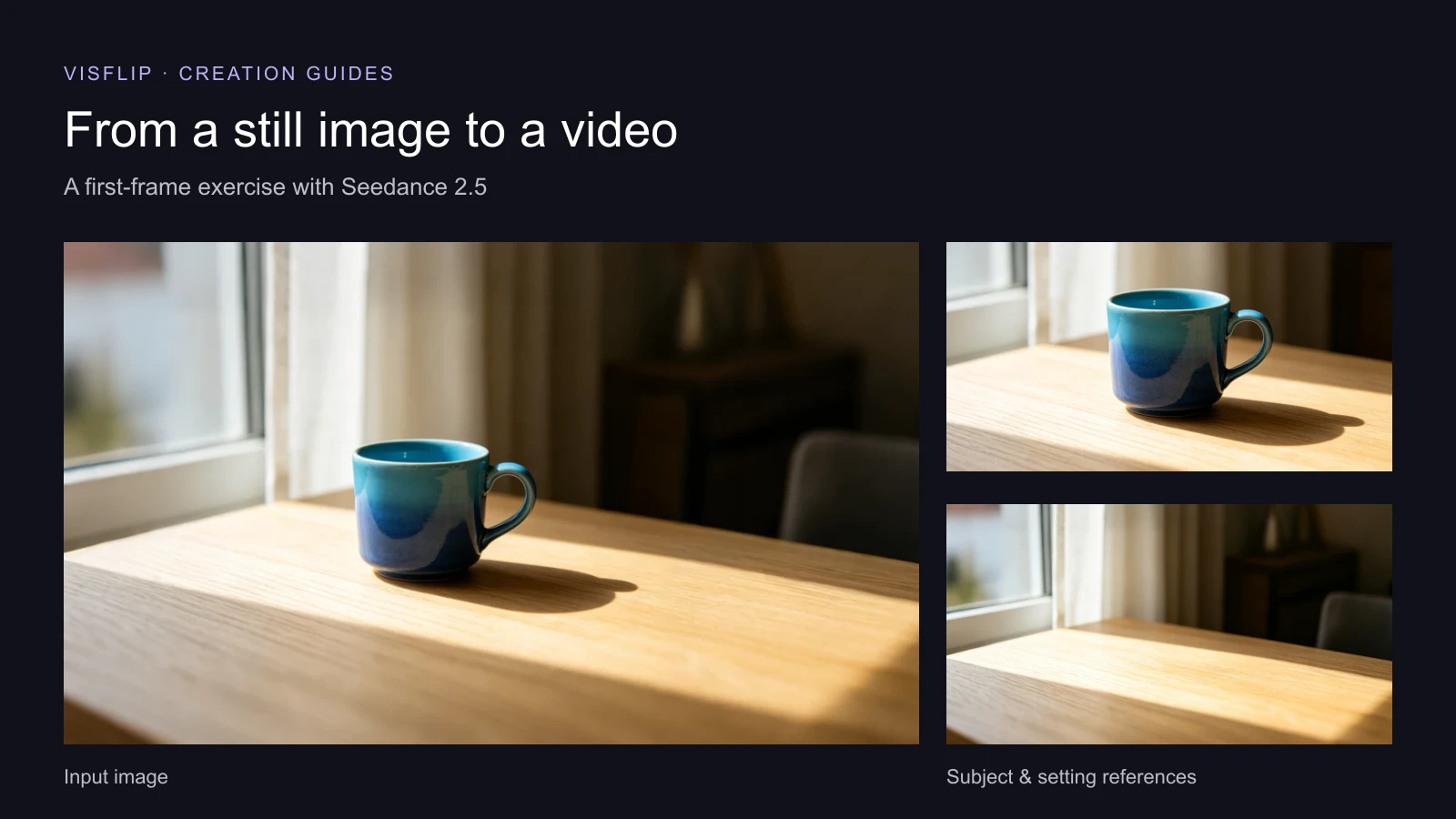
Start by describing the video you want to watch. Who or what is in the frame? What happens? Where does the camera go? A short shot may only need a sentence or two. Add detail when you have a particular choice to make about the scene.
“Make a cinematic product video” leaves a lot open. “The camera slowly moves closer to the blue cup, then holds on the glaze and handle” gives the shot a direction. This Seedance 2.5 prompt guide works through those choices with examples you can copy and adapt.
A Seedance 2.5 prompt starts with what happens in the frame
In a Seedance 2.5 prompt, write the main event first. For a person, that could be turning toward a sound, opening a door, or hesitating before speaking. For a product, the action could come from a hand, a moving camera, or a change in light.
A hand enters from the right, turns the blue ceramic cup until the handle faces the camera, and lets go. The camera stays still.
You can picture that shot. The direction of the hand, the turn, and the moment it stops are all there. Words such as “premium” or “beautiful” can describe a mood, but they leave these actions undecided.
For text-to-video in Seedance 2.5, introduce the subject and setting too: “A blue ceramic cup sits on a pale wooden table beside a sunlit window.” With a starting image, much of that information is already visible. Focus the prompt on what should happen next, and mention appearance when a particular detail matters.
Keep subject movement and camera movement separate in Seedance 2.5 prompts. “The cup turns” and “the camera circles the cup” describe different shots. If both should move, say what each one does.
Same image, two different camera directions
Use this image as the opening frame for both examples. The cup stays on the table; the camera supplies the movement.

Both clips were generated with Seedance 2.5 using the same first frame: 4 seconds, 480p, Auto aspect ratio, and audio off. The outputs below show how the two camera instructions compare.
The useful difference is in the camera instruction. Prompt A asks for a closer view. Prompt B asks for another angle. Both Seedance 2.5 prompts describe where the camera should finish, so the movement has an endpoint.
You can use camera terms such as “push in,” “arc,” or “track,” or describe the movement in ordinary language. “Follow her from behind as she walks down the corridor” is already a camera direction. Add a technical term when it makes your intention clearer.
When you make a comparison, keep the input image, model, duration, resolution, and audio setting the same. Save the exact prompt with each output. That gives you a useful record of what you asked for, even when generations vary.
Tell Seedance 2.5 what to take from each reference
A reference can answer a question that would take a long paragraph to describe. This is the cup. This is the room. This is the movement to follow.
When you supply several references, name their jobs. For these two images, the cup image supplies the subject's appearance; the empty table supplies the setting and light.

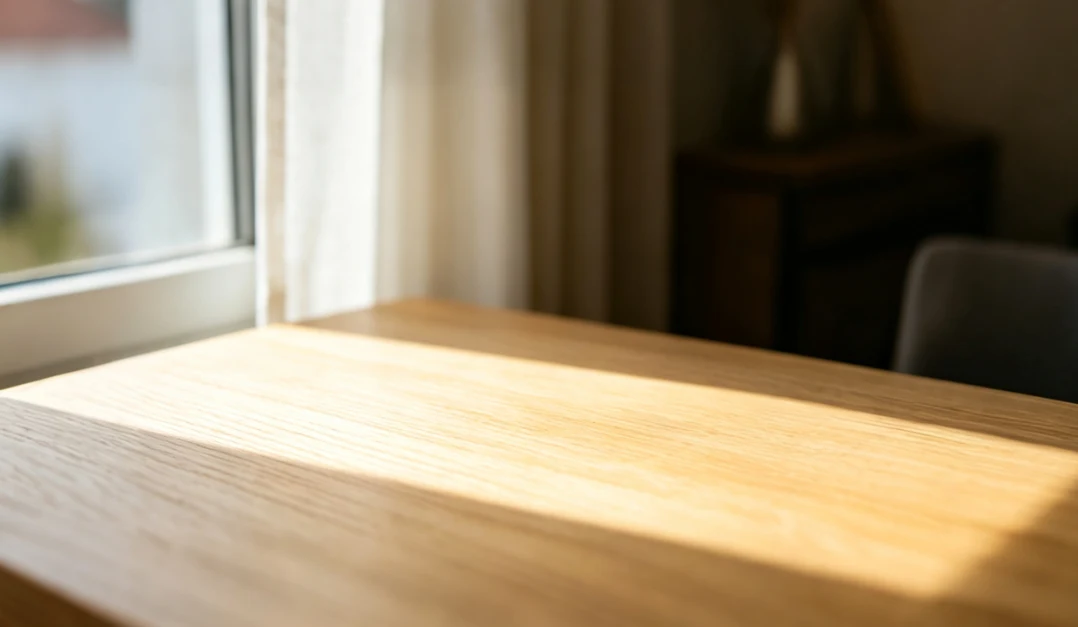
Here, “image 1” and “image 2” refer to the upload order; use the reference labels available in your tool. A reference video could supply a camera path or a person's movement. Say which part you want to borrow, so the prompt does not leave the role of that clip open.
A starting frame and a reference serve different purposes. Use a starting frame when that composition is where the shot should begin. Use references when you want to bring a subject or visual idea into a new composition. You can describe those roles directly without writing a catalogue of everything in every image.
Write a sequence when the idea needs one
For a longer Seedance 2.5 clip, put events in the order the viewer should see them. A pause can matter as much as an action: a character notices something, stops, then reacts. Write that pause if it is part of the moment you want.
Here is a different idea, written as a twelve-second scene:
The sound gives her a reason to look up; the camera follows that change of attention. The last action closes the scene. Those connections do more work than asking for “an emotional, cinematic story.”
You can add approximate time ranges when the order alone is not enough. For this scene: establish the letter in the first few seconds, let the train draw her attention in the middle, and leave time for her final reaction. Treat the ranges as direction for the rhythm, rather than a frame-accurate edit.
For dialogue, write the actual line and identify the speaker. For atmosphere, name the sound: rain against a window, a ceramic scrape on wood, a train growing louder. If the picture is all you need, keep the scene silent. There is no need to add music or speech to every prompt.
Keep the prompt within the length limit
VisFlip accepts prompts up to 10,000 characters. Every prompt is scanned in full for content safety before it reaches the model, so this limit matches the range that compliance check covers.
Longer is not better, though. BytePlus recommends keeping Seedance 2.5 prompts within about 500 Chinese characters or 1,000 English words. Past that point the model does not reject the prompt, but it starts dropping details from the later parts of your description.
If an idea outgrows that budget, split it into several clips instead of stretching one prompt. To keep a subject or style consistent across those clips, carry it with a reference image rather than a longer description.
Revise a Seedance 2.5 prompt when results miss the mark
After watching an output, point to the moment that differs from your idea. Then decide whether to change the action, the camera direction, the reference, or the timing.
| What you want to change | A more specific instruction |
|---|---|
| The camera gets too close | “Keep the entire cup and handle in frame throughout the shot.” |
| The movement has no clear finish | “Stop turning when the handle faces the camera, then hold.” |
| Several actions compete for attention | Keep the main action in this clip; give the next event its own shot. |
| A reference is being used for the wrong purpose | “Use image 1 for the cup's appearance and image 2 for the setting.” |
Change one main instruction for the next attempt and keep the rest of the setup stable. Compare the outputs with the prompts beside them. Keep the version that expresses your idea most clearly, then work on the next detail.