
VisFlipVisFlip

Wan 3.0 video generator with up to 10 image references

Build a 2–30 second scene from text, opening and ending frames, or up to 10 reference images. Choose 480p, 720p or 1080p; audio costs the same on or off. Sign in to generate.

CostThis option is not available yet.

Start with a prompt

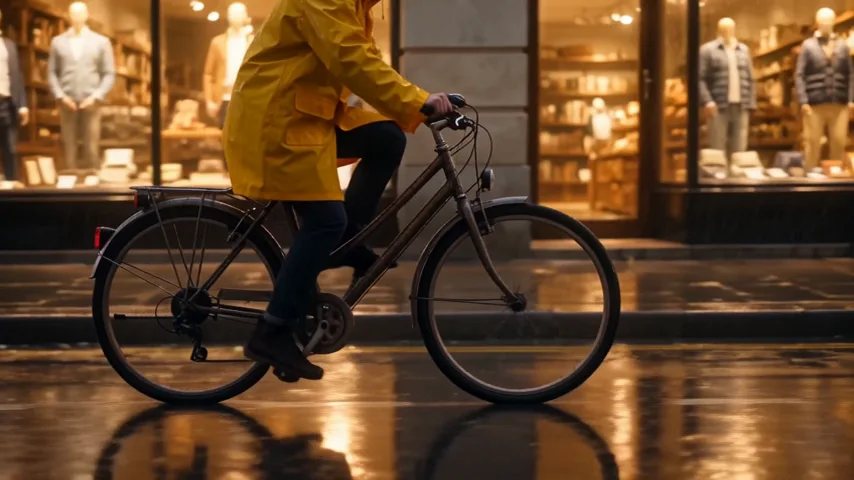
Cyclist past a lit shopfrontCyclist past a lit shopfront5s · 16:9 · 480p · Audio offA single continuous five-second side-tracking shot of one cyclist in a bright…Use the prompt
A cup in soft window lightA cup in soft window light6s · 9:16 · 480p · Audio onA single six-second vertical product shot.…Use the prompt
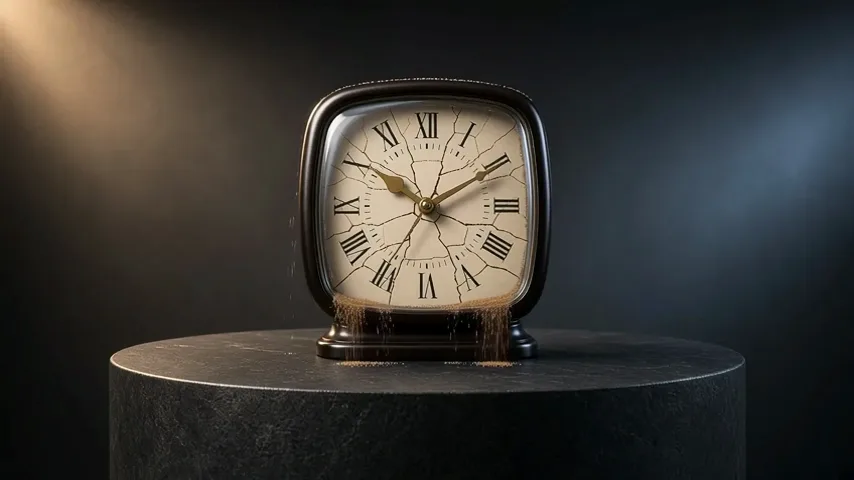
A clock turns into falling sandA clock turns into falling sand5s · 16:9 · 480p · Audio onStart exactly on the supplied clock image.…Use the prompt

Three ways to create with Wan 3.0

These short samples show text-to-video, image references and first-and-last-frame control. The two image-based clips include generated stereo audio.

Track a cyclist through the rain

Start from a text prompt and follow a cyclist past a warmly lit shopfront. This five-second shot shows a continuous camera move.

Try Wan 3.0

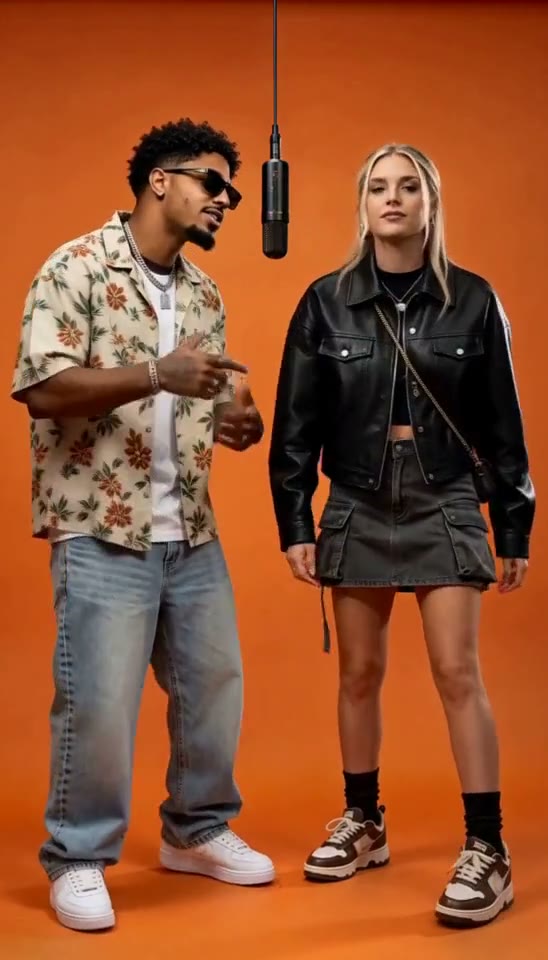
Place a cup in a product scene

Use product and setting images to guide a six-second vertical shot. The generated video includes stereo audio.

Try Wan 3.0

Guide a change with two frames

Choose an opening image and an ending image, then describe the transition between them. This five-second clip turns a clock into sand and includes generated stereo audio.

Try Wan 3.0

Explore Wan 3.0 with image references and frame control

Use the extra duration for a camera move or a sequence of actions within one scene. Choose frames for a planned opening and ending, or image references for visual direction.

Build from your visual references

Build from your visual references

Bring up to 10 images to guide the subject, setting and visual direction. Give each reference a clear role in your prompt.

Choose how to guide your Wan 3.0 scene

Each request uses one input mode. Pick frame-based guidance when the opening or ending matters; pick image references when you have several visual cues to share.

Input modesBest forDurationResolution
Text to video
Text only
Describe a new scene and let Wan 3.0 build the shots from text.2–30s480p · 720p · 1080p
Image to video
1 image
Give Wan 3.0 one starting image, then describe how the scene should move.2–30s480p · 720p · 1080p
First and last frame
2 images
Set the opening and ending images to shape how Wan 3.0 moves between them.2–30s480p · 720p · 1080p
Reference to video
1–10 images
Direct Wan 3.0 with up to 10 images for subjects, settings, lighting or style.2–30s480p · 720p · 1080p

How to use the Wan 3.0 video generator

Choose an input mode above, then set duration, resolution and audio. Select Generate video to open the workspace and start your Wan 3.0 generation.

01

Choose one input mode

Wan 3.0 is already selected. Choose “Text to video”, “Image to video”, “First and last frame” or “Reference to video”. Frame and multi-image modes are separate.

02

Choose time and resolution

Set 2–30 seconds and 480p, 720p or 1080p. Choose audio and review the credit quote.

03

Generate and inspect the whole clip

Sign in and submit. Review the full result, especially later frames, then download the version you want to use.

Wan 3.0 credit rates from 480p to 1080p

The estimates below use a 5-second clip at 480p. Audio on or off uses the same credit rate; duration and resolution change the quote.

Light pack

Try a few ideas and find your direction

$20One-time payment

Get 1,250 credits

About 31 Wan 3.0 videos (from $0.64 each)

Up to 78 videos

Works with Seedance 2.5 · Seedance 2.0 · Seedance 2.0 Fast · Seedance 2.0 Mini · Kling 3.0 · Kling 4.0 · Kling 4.0 Flash · Veo 3.1 · Wan 3.0 · MAGI 2.0

Watermark-free downloads
Commercial license

Creator pack

Recommended

Explore more ideas and refine your favorites

$60One-time payment

Get 3,750 credits + 450 bonus credits

About 105 Wan 3.0 videos (from about $0.57 each)

Up to 262 videos

Works with Seedance 2.5 · Seedance 2.0 · Seedance 2.0 Fast · Seedance 2.0 Mini · Kling 3.0 · Kling 4.0 · Kling 4.0 Flash · Veo 3.1 · Wan 3.0 · MAGI 2.0

Watermark-free downloads
Commercial license

Large pack

Keep credits ready for regular video creation

$200One-time payment

Get 12,500 credits + 3,750 bonus credits

About 406 Wan 3.0 videos (from about $0.49 each)

Up to 1,015 videos

Works with Seedance 2.5 · Seedance 2.0 · Seedance 2.0 Fast · Seedance 2.0 Mini · Kling 3.0 · Kling 4.0 · Kling 4.0 Flash · Veo 3.1 · Wan 3.0 · MAGI 2.0

Watermark-free downloads
Commercial license

Studio pack

For a full slate of video projects

$600One-time payment

Get 37,500 credits + 15,000 bonus credits

About 1,312 Wan 3.0 videos (from about $0.46 each)

Up to 3,281 videos

Works with Seedance 2.5 · Seedance 2.0 · Seedance 2.0 Fast · Seedance 2.0 Mini · Kling 3.0 · Kling 4.0 · Kling 4.0 Flash · Veo 3.1 · Wan 3.0 · MAGI 2.0

Watermark-free downloads

Commercial license

01

Cost shown before submit

A 5-second clip at 480p costs 40 credits, audio on or off.

02

Priced per generation

Each output second costs 8 credits at 480p, 16 at 720p or 32 at 1080p. Audio uses the same rate at each resolution.

03

One balance for your projects

One-time credit packs work across the image and video generators. Top up when you need more; there is no subscription or automatic renewal.

Wan 3.0 · Questions before you generate

Prompt guides for Wan 3.0 and other video models

Start with the Wan 3.0 prompt guide for opening frames, first-last keyframes, and reference images, then explore other model and scene guides.

Start a 2–30s Wan 3.0 video

Wan 3.0 is selected above. Start with a scene description or your images, choose the duration, then review the credit quote before generating.